It feels a bit annoying when you see the message Claude taking longer than usual. trying again shortly. You sit there waiting, but nothing moves. It stops your writing, coding, planning, or whatever you were doing in the Claude AI app. This guide shows what the message means, why it shows up, how you can fix it, and how to stop it from coming back.
What Is This Claude Error?
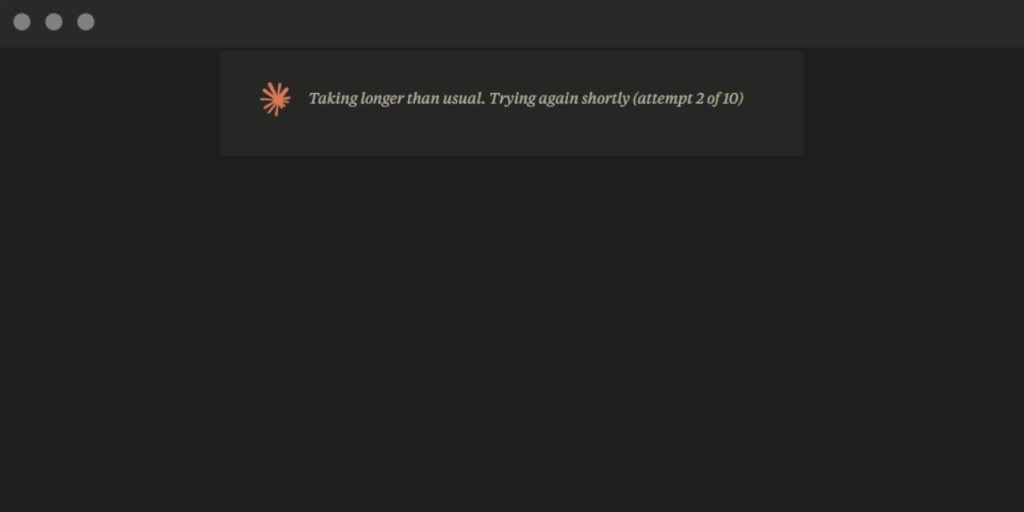
This message appears when the Claude AI model needs more time to answer. It usually means the system is working harder than normal to process your prompt. The model might be pulling in context, running a large reasoning process, or handling a heavy load on Anthropic servers.
You might see the message in the Claude web app, in the Anthropic Console, or inside your API logs if you use the Claude API. It pops up during long chats, while handling large prompts, or when the internet slows down. The screen just pauses and waits.
Common Causes of This Claude Delay
This delay can show up for different reasons based on your setup, your connection, or even public server load. Here are the most common reasons:
- Heavy traffic on Anthropic servers
- Large prompts that use too many tokens
- Slow or unstable Wi-Fi connection
- Browser cache problems or extensions that block scripts
- API rate limits or quota pressure
- VPN or proxy tools raising your network latency
- Complex model inference on models like Claude 3 Opus
How To Fix Claude Is Taking Longer Than Usual?
Fixes may change based on your device and network. However, most users can get faster responses by trying the solutions below.
Fix #1: Refresh the Claude Session
Refreshing helps when the app gets stuck. The session might freeze or drop the last request. A clean reload forces Claude to start fresh and talk to the servers again.
Follow the steps below to refresh your session:
- Click the browser refresh button.
- Wait a moment for the Claude page to reload.
- Sign in again if it asks.
- Open your last chat.
- Try sending the message again.
Fix #2: Reduce the Prompt Size
A long prompt can slow Claude down because the model must read and process every token. Cutting the prompt makes it easier for the model to answer fast.
Here are the following steps which help you shorten your prompt:
- Remove repeated text from past messages.
- Delete old context that you no longer need.
- Summarize long blocks before sending.
- Break your task into smaller pieces.
Fix #3: Check Your Internet Stability
A weak connection slows the request between your device and Anthropic servers. Even a small delay can trigger the message.
Try these simple steps to quickly check your network:
- Switch to another Wi-Fi network.
- Restart your router.
- Turn off your VPN or proxy.
- Test with your phone hotspot.
- Run a quick speed test.
Fix #4: Clear Browser Cache or Try Another Browser
Sometimes the browser holds old files that slow the Claude app. A broken extension can also block parts of the page.
The following steps will show you how to clear your browser cache:
- Open your browser settings.
- Go to Privacy or History.
- Clear cached images and files.
- Restart your browser.
- If you still see the delay, try Chrome, Firefox, or Edge.
Fix #5: Use a Smaller Claude Model
Larger models like Claude 3 Opus take more time to think. Smaller models like Claude 3 Haiku respond faster because they use fewer resources.
You can perform the following steps to switch models:
- Open the model selector in the Claude app.
- Pick Claude 3 Haiku.
- Send your request again.
Fix #6: Check the Anthropic Status Page
If servers are busy or down, the delay comes from Anthropic, not you. The status page shows live updates on outages, API latency, and performance issues. No steps needed here. Just check the page.
Fix #7: Adjust API Settings if You Are a Developer
If you use the Claude API, slow responses may come from rate limits, timeout settings, or heavy payloads. Reducing your max_tokens, tightening your timeout settings, or spreading requests across time can help. Developer logs often show clues like slow inference or blocked calls.
Fix #8: Contact Anthropic Support
If nothing works and the delay keeps returning, reach out to Anthropic Support. You might have an account issue, a credit limit block, or a technical glitch that needs deeper help.
Prevention Tips To Avoid This Error
Stopping the problem before it starts makes your chats smoother. Try these habits:
- Keep prompts short and clean
- Reduce old context in long chats
- Update your browser weekly
- Turn off VPNs when using Claude
- Pick a fast network when possible
- Watch your API usage if you build apps
- Use the right Claude model for your task
Conclusion
In short, the message Claude taking longer than usual. trying again shortly usually comes from slow servers, big prompts, or a weak internet connection. Sometimes it shows up because the model needs more time to process your request.
Try the fixes in this guide and see which one speeds up your responses. If the problem keeps showing up, check the Anthropic status page or ask their support team for more help. And if this helped you, share it or drop a comment so others can find it too.