You send a prompt to Claude AI and suddenly it fails. Instead of a response, you see something like “rate limit exceeded” or “too many requests.” That can be frustrating, especially if you’re using the Claude API for a project or automation task. The good news is this error usually means you’ve hit a usage limit set by Anthropic. In this guide, you’ll learn what this error means, why it happens, and 7 clear ways to fix it.
What Is the Claude AI Rate Exceeded Error?
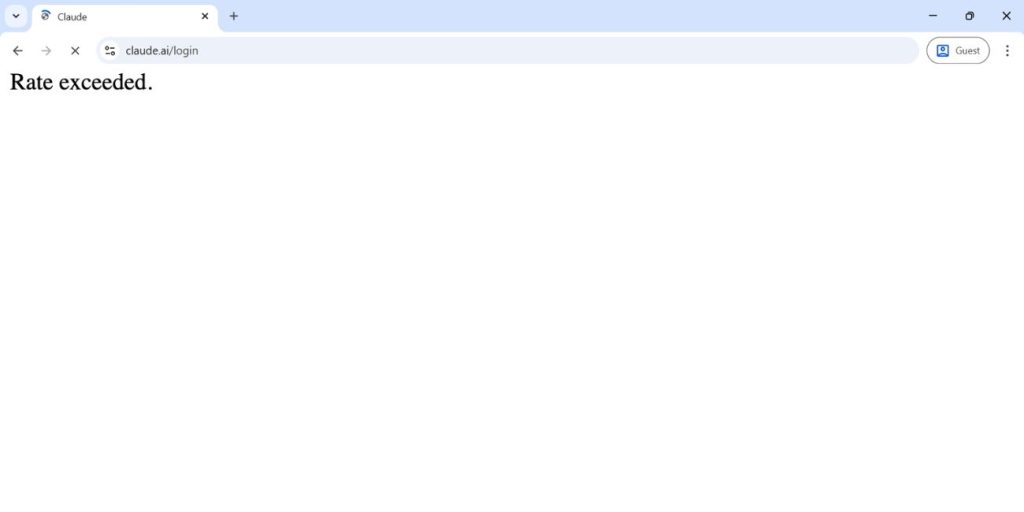
The Claude AI rate exceeded error appears when your usage goes beyond the allowed request limit or token quota. Claude, built by Anthropic, applies rate limits to protect its cloud infrastructure from overload. These limits control how many API requests you can send per minute or per day. If your system sends too many prompts too quickly, the server may return an HTTP 429 error.
This status code means the system is temporarily throttling your requests. It is not a permanent ban. It is a traffic control mechanism to keep the platform stable for all users.
You may see this error inside the Claude web app, in the API response from the Claude API, or in your developer console logs if you are using an API key.
Common Causes of Claude AI Rate Exceeded Error
This error can happen when usage exceeds the allowed request or token limits set by Anthropic. Below are the most common triggers.
- Sending too many API requests per minute
- Exceeding daily usage quota
- Submitting very large prompts with high token counts
- Running batch scripts without delay
- Sharing one API key across multiple applications
- Hitting Free plan usage caps
- Opening multiple browser sessions at once
How to Fix Claude AI Rate Exceeded Error?
To resolve this issue efficiently, reduce request frequency and review your usage pattern. In most cases, the rate exceeded error is temporary and clears after a short waiting period.Fix #1: Wait for the Rate Limit Window to Reset
Claude often uses rolling time windows for rate limits.
Follow these steps:
- Stop sending new requests immediately.
- Wait a few minutes.
- Retry your request slowly.
- Monitor whether the error disappears.
Many rate limits reset automatically.
Fix #2: Reduce Request Frequency
If your application sends requests too quickly, the server throttles them.
You can perform the following steps to space out requests.
- Add a delay between API calls.
- Limit concurrent requests.
- Avoid rapid looping in scripts.
- Test with smaller request batches.
Spacing calls reduces overload.
Fix #3: Optimize Token Usage
Large prompts and long outputs increase token consumption.
Try these simple steps:
- Shorten your input text.
- Avoid unnecessary repeated context.
- Request shorter responses.
- Monitor token count before sending.
Lower token usage reduces pressure on the API.
Fix #4: Upgrade to Claude Pro or Higher Plan
Subscription tiers may have different usage caps.
Follow the steps below to check your plan.
- Log into your Claude account.
- Open account settings.
- Review your subscription tier.
- Compare limits with your usage level.
- Upgrade if needed.
Higher tiers often allow more requests.
Fix #5: Implement Retry Logic with Delay
If you are building software, smart retry logic helps.
Add controlled retries in your code. Use a delay before each retry attempt. Avoid instant repeated calls. This method, sometimes called exponential backoff, helps prevent repeated 429 errors.
Fix #6: Check API Dashboard for Usage Stats
Anthropic provides usage monitoring tools.
Here’s how you can review your quota.
- Log into the Claude API dashboard.
- Check your request count.
- Review token usage.
- Identify spikes in traffic.
Monitoring helps prevent surprises.
Fix #7: Use Separate API Keys for Different Projects
If multiple applications share one API key, the combined traffic may exceed limits.
Create separate API keys for different services. Assign them to specific projects. Track usage independently. This distributes request load more safely.
Prevention Tips to Avoid Claude Rate Limit Errors
Preventing rate limit errors saves time and keeps workflows smooth. Claude AI enforces limits to maintain stability, so planning your usage helps.
- Track daily request volume
- Limit batch processing size
- Add delays between API calls
- Monitor token consumption
- Avoid duplicate or repeated prompts
- Upgrade your plan if usage grows
- Review API response headers for limit data
Conclusion
The Claude AI rate exceeded error means you reached a usage or request limit. It is usually temporary and linked to request frequency, token size, or subscription tier. Anthropic uses rate limits to protect server performance and ensure fair access.
Slow down your requests, monitor your usage, and adjust your plan if needed. If the error continues despite low usage, contact Anthropic support for clarification. If this guide helped you, share it with your team or leave a comment about how you solved your rate limit issue.