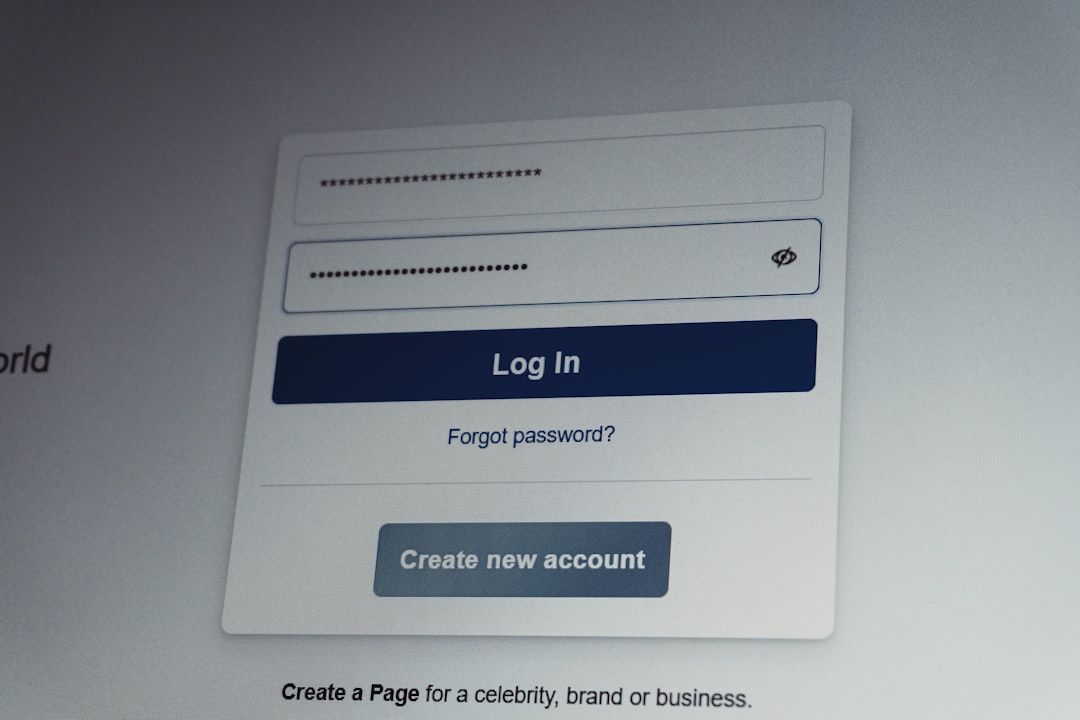
EPOS Now is a leading cloud-based point of sale system used by retailers, hospitality venues, and service-based businesses around the world. Accessing the platform securely and efficiently is essential for managing sales, tracking inventory, generating reports, and overseeing staff activity. This comprehensive guide explains how users can log in to EPOS Now, troubleshoot common login problems, and maintain account security while making the most of the platform’s features.
TLDR: EPOS Now login is a straightforward process that requires a registered email and password through the official website or app. Users can reset passwords easily, resolve most login issues through basic troubleshooting, and enhance security with best practices like strong passwords and secure networks. This guide covers step-by-step login instructions, common problems, and security tips to ensure seamless access.
Understanding EPOS Now Login Access
EPOS Now operates primarily through a cloud-based interface, which means users can access the system from virtually any device with internet connectivity. Whether using a desktop computer, tablet, or mobile device, the login process remains largely the same. However, permissions and dashboard visibility may vary depending on the user’s assigned role.
Before logging in, users should ensure they:
- Have an active EPOS Now account
- Possess the correct login credentials (email and password)
- Are connected to a stable and secure internet connection
- Are using a supported browser such as Chrome, Edge, or Safari
For businesses with multiple staff members, administrators typically create individual login credentials for each employee. This allows activity tracking and role-based access control.
Step-by-Step Guide to Logging into EPOS Now
Logging into EPOS Now is a simple process when the proper credentials are available. The following steps outline how users can securely access their dashboard:
- Open a web browser and visit the official EPOS Now login page.
- Enter the registered email address associated with the account.
- Type in the correct password.
- Click the Login button.
- Wait for the dashboard to load.
If login details are correct, users will be redirected to their main dashboard where they can manage transactions, reports, staff, and inventory.

Tip: It is advisable to bookmark the official login page to avoid phishing attempts or fraudulent websites.
Logging in Through EPOS Now App
For businesses that rely on mobile or tablet usage, EPOS Now provides application access. The login steps are nearly identical to the browser method:
- Download the EPOS Now app from the official app store (if applicable).
- Launch the application.
- Enter registered login credentials.
- Tap Sign In.
The app is designed for retail and hospitality environments, allowing staff to process sales quickly and efficiently.
Common EPOS Now Login Issues and Solutions
While the login process is generally smooth, users may occasionally encounter issues. Below are the most common login problems and how they can be resolved.
1. Forgotten Password
If a user forgets their password, they can easily reset it:
- Click the Forgot Password? link on the login page.
- Enter the registered email address.
- Check the email inbox for a password reset link.
- Create a new secure password.
Passwords typically require a mix of upper and lowercase letters, numbers, and special characters for optimal security.
2. Incorrect Email or Password
Users should double-check:
- Caps Lock key is off
- There are no extra spaces in the email field
- The correct email address is being used
If problems persist, contacting the business administrator may be necessary to confirm credentials.
3. Account Locked
Multiple unsuccessful login attempts may temporarily lock the account to protect against unauthorized access. In this case, users should:
- Wait for the automatic unlock period (if applicable)
- Contact EPOS Now support or their internal administrator
4. Browser Compatibility Issues
Sometimes login failures are caused by outdated browsers or stored cache issues. Solutions include:
- Clearing browser cache and cookies
- Updating the browser to the latest version
- Trying a different supported browser

Enhancing Login Security
Login security is critical for protecting sensitive business data such as sales records, customer details, and financial reports. Businesses should implement several best practices.
Use Strong Passwords
Effective passwords typically include:
- At least 12 characters
- A mix of uppercase and lowercase letters
- Numbers and symbols
- No obvious personal information
Avoid Public Wi-Fi for Admin Access
When accessing administrative dashboards, users should avoid unsecured public networks. If necessary, a VPN connection can provide extra protection.
Assign Role-Based Permissions
EPOS Now allows administrators to manage user roles. For instance:
- Cashiers may have limited sales-only access
- Managers may access reports and staff oversight tools
- Owners may have full administrative privileges
This ensures that only authorized individuals access sensitive areas of the system.
Managing Multiple Users and Staff Logins
Businesses with multiple employees often require separate login credentials for each team member. This approach improves accountability and tracking. Within the EPOS Now dashboard, administrators can:
- Create new user accounts
- Reset staff passwords
- Assign or modify permission levels
- Deactivate accounts when employees leave
Individual logins allow the system to track transaction history by staff member, which helps prevent fraud and identify training opportunities.
Image not found in postmetaAccessing EPOS Now Reports After Login
Once successfully logged in, users gain access to powerful reporting tools. These tools provide valuable insights such as:
- Daily and monthly sales reports
- Inventory performance data
- Best-selling products
- Staff performance metrics
Managers can customize dashboards and export financial information for accounting or strategic planning purposes. Logging in regularly ensures real-time data monitoring and informed decision-making.
When to Contact EPOS Now Support
If troubleshooting steps do not resolve login issues, contacting official support may be necessary. Users should prepare:
- The registered account email
- A description of the issue
- Screenshots of error messages (if applicable)
Prompt support assistance can prevent operational disruptions, especially during peak business hours.
Best Practices for Ongoing Login Management
Consistent account management ensures long-term accessibility and security. Businesses are encouraged to:
- Change passwords periodically
- Immediately deactivate accounts of former employees
- Monitor login activity for unusual access attempts
- Provide staff training on secure login practices
By following these procedures, businesses minimize risks and maintain efficient daily operations.
Conclusion
The EPOS Now login process is designed to be simple, secure, and accessible across devices. Whether logging in via desktop or mobile app, users need only their registered credentials and a secure internet connection. Most login issues can be resolved through password resets, browser updates, or administrator assistance. By adhering to best security practices and properly managing staff access, businesses can ensure that their EPOS Now system remains both secure and efficient.
Frequently Asked Questions (FAQ)
1. How do I reset my EPOS Now password?
Click the Forgot Password? link on the login page, enter your registered email address, and follow the reset instructions sent to your inbox.
2. Why is my EPOS Now account locked?
An account may be locked after multiple failed login attempts. Wait for the unlock period or contact your administrator or support for assistance.
3. Can I log into EPOS Now from multiple devices?
Yes, as a cloud-based platform, EPOS Now allows access from multiple supported devices with internet connectivity.
4. What should I do if the login page is not loading?
Check your internet connection, clear browser cache and cookies, update your browser, or try accessing the page from a different device.
5. Is it safe to save my EPOS Now password in my browser?
While convenient, it is safer to use a trusted password manager instead of saving passwords directly in shared or public devices.
6. Can administrators control staff login permissions?
Yes, administrators can assign role-based permissions to limit or grant access to specific features within the system.
7. Does EPOS Now offer two-factor authentication?
Security features may vary by account and region, so users should consult their administrator or EPOS Now support to confirm available authentication options.