Digital media travels fast. A video made in one city can be watched in ten countries before lunch. A podcast can find fans on the other side of the planet. A game can become a global hit overnight. But there is one catch. People do not just want content they can see. They want content they can understand, enjoy, and trust.
TLDR: Digital media localization means changing video, audio, and interactive content so it feels natural in each market. It is more than translation. You must adapt words, visuals, voices, timing, culture, and user experience. Great localization makes global audiences feel like the content was made just for them.
What Is Digital Media Localization?
Localization is like giving your content a passport, a guidebook, and a friendly local outfit. It helps your media fit into a new place without feeling strange.
Translation changes words from one language to another. Localization goes further. It asks:
- Does this joke make sense?
- Is this image appropriate?
- Do the colors send the right message?
- Is the voice tone polite or too casual?
- Can users click, read, and play with ease?
Good localization feels smooth. Bad localization feels like wearing shoes on the wrong feet. You can still walk, but it is not fun.

Why Localization Matters
People connect with content that feels close to them. They like familiar phrases. They trust voices that sound natural. They enjoy stories that respect their culture.
If your video has awkward subtitles, viewers may leave. If your app button text is too long, the design may break. If your game uses a joke that is offensive in another country, players may complain. The internet remembers everything. So it is better to plan ahead.
Localization can help you:
- Reach more people.
- Build trust.
- Increase watch time.
- Improve app and game reviews.
- Avoid cultural mistakes.
- Make your brand feel local.
Localizing Video Content
Video is powerful. It combines words, pictures, music, faces, and motion. That also means there are many things to adapt.
1. Subtitles
Subtitles are common and cost-friendly. But they need care. Good subtitles are short. They match the timing. They use natural language. They do not cover important visuals.
Do not stuff a full paragraph into two seconds. Viewers are not superheroes. Give them time to read and watch.
2. Dubbing
Dubbing replaces the original voice with a new voice in another language. This can make content feel easier to enjoy. It is great for children, training videos, ads, and entertainment.
But the voice must match the mood. A calm doctor should not sound like a game show host. A funny character should still be funny. Casting matters.
3. On-Screen Text
Videos often include text in graphics. Think titles, labels, prices, maps, and pop-up tips. These must be localized too.
Some languages take more space than others. German can be long. Chinese can be compact. Arabic reads right to left. Your design must be flexible.
4. Cultural Details
Check gestures, clothing, food, symbols, holidays, and humor. A thumbs-up is friendly in many places. In some places, it may not be. A color may mean luck in one culture and danger in another.
Small details can make a big difference.
Localizing Audio Content
Audio has no visuals to help. So every sound must work harder. Podcasts, voice assistants, audiobooks, ads, and learning content all need careful localization.

1. Voice and Tone
A voice can sound warm, serious, funny, bold, or gentle. Choose a tone that fits the audience. Business content may need a clear and confident voice. A meditation app may need a soft and slow voice.
Think about age, accent, gender, and speaking style. Also think about local expectations. A sales message that feels exciting in one country may feel pushy in another.
2. Music and Sound Effects
Music carries emotion. It also carries culture. A fun beat in one market may feel odd in another. Sound effects matter too. Even a doorbell or phone ring can sound different by region.
Use music that supports the message. Do not let it distract. And always check rights for each market.
3. Script Adaptation
Audio scripts need more than word-for-word translation. Sentences should sound natural when spoken. People do not talk like instruction manuals. Well, most people do not.
Read the script aloud. If it twists your tongue, rewrite it. If it sounds like a robot wrote it during a thunderstorm, rewrite it again.
Localizing Interactive Content
Interactive content is extra tricky. Users do not just watch or listen. They click, tap, swipe, choose, win, lose, and sometimes rage-quit. Localization must support the whole experience.
1. User Interface Text
Buttons, menus, forms, alerts, and error messages must be clear. Keep text short. Leave room for longer translations. Avoid tiny buttons with long labels.
For example, “Start” may become a longer phrase in another language. If your design cannot stretch, it may look messy. Plan for expansion from the start.
2. Navigation and Layout
Some languages read from right to left. This can change the whole layout. Menus may need to flip. Icons may need to move. Progress bars may need a new direction.
Test the user journey in every language. Do not only check the home screen. Click everything. Try forms. Open settings. Break things on purpose. It is fun and useful.
3. Games and Learning Content
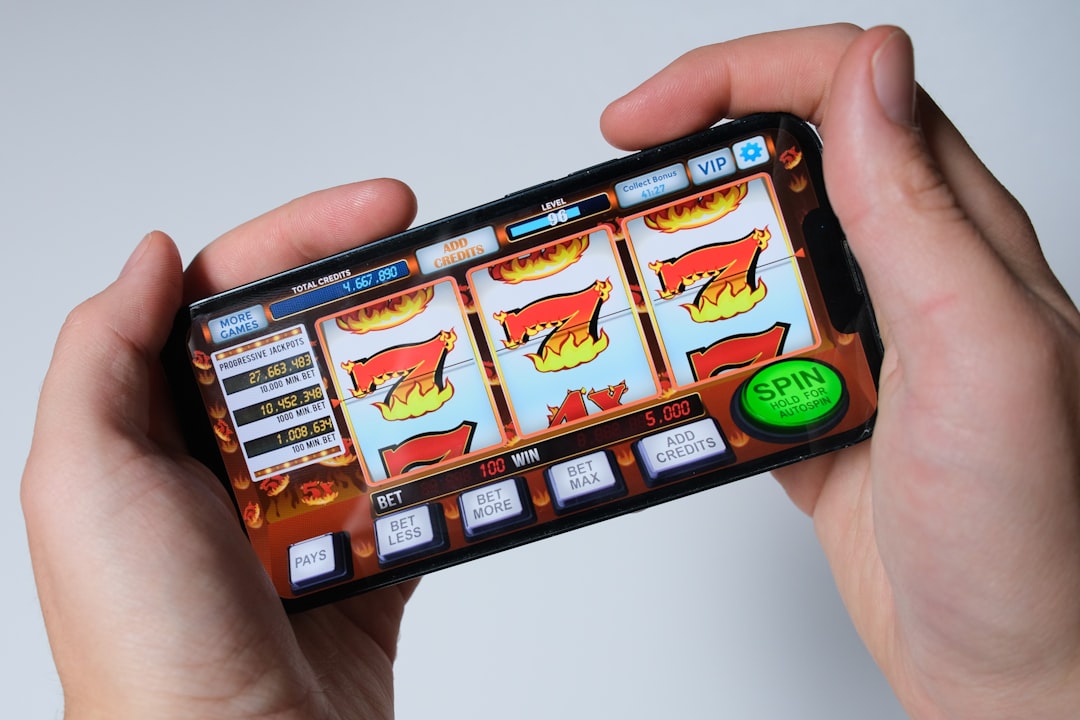
Games need special care. Character names, jokes, quests, rewards, and cultural references may need adaptation. Learning platforms also need local examples. A math problem about dollars may not work well in a country using euros, yen, or pesos.
Interactive content should feel native. Users should not feel like guests. They should feel at home.
A Simple Localization Workflow
You do not need chaos. You need a plan. Here is a simple workflow:
- Research the audience. Learn their language, culture, habits, and preferences.
- Prepare the files. Collect scripts, subtitles, audio, graphics, and source text.
- Translate and adapt. Use skilled linguists who understand the content type.
- Record or edit media. Add subtitles, dubbing, voice-over, or new graphics.
- Test everything. Check timing, layout, sound, links, and user flow.
- Review with local experts. Get feedback from people who know the market.
- Update when needed. Localization is not a one-time magic trick.
Common Mistakes to Avoid
Localization can go wrong in funny ways. Sadly, funny for the internet may be painful for your brand. Avoid these mistakes:
- Using machine translation alone. It can help, but it should not be the final boss.
- Ignoring text length. Long translations can break designs.
- Forgetting subtitles for signs and graphics. Viewers need context.
- Keeping jokes that do not travel. Some jokes need a new suitcase.
- Skipping local review. Local eyes catch local problems.
- Testing only on one device. Check phones, tablets, desktops, and TVs.
Make It Feel Human
The best localized content does not scream, “I was translated!” It feels natural. It respects the audience. It keeps the heart of the original while changing the details that need changing.
Think of localization as hosting a party. You want every guest to feel welcome. You play music they enjoy. You serve food they can eat. You explain the rules of the game. You do not make them sit in the corner with confusing subtitles.
Global content should feel local. That is the magic. When video, audio, and interactive media are adapted with care, people notice. They stay longer. They click more. They share with friends. And they come back for more.
So pack your content bags. Check the language. Tune the audio. Polish the interface. Respect the culture. Then send your media into the world with confidence. It is a big planet, and your audience is waiting.